You've got a 60-page contract sitting in your inbox. Or a 200-row Excel sheet your manager sent five minutes ago. Or three quarterly reports you need to compare before a meeting that starts in 30 minutes.
Sound familiar?
Here's the thing most of us spend way too much time reading documents when what we actually want is the answer. That's exactly where AI chat with documents changes the game. And the best part? You don't need to be a data scientist, a developer, or even particularly tech-savvy to use it. Let's break it all down.
What Does "AI Chat with Documents" Actually Mean?
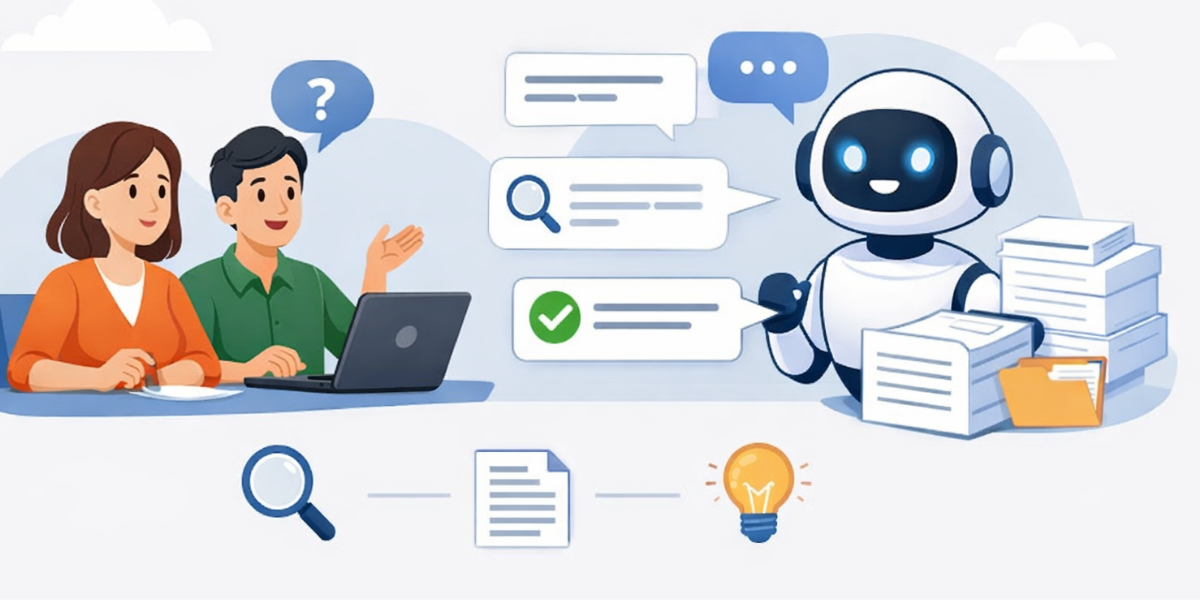
Think of it like having a conversation with your file. You upload a Word document, a PDF, an Excel sheet whatever you've got and then you simply ask it questions in plain English.
"What are the payment terms in this contract?"
"Which month had the highest sales?"
"Summarize the key risks mentioned in this report."
And the AI reads through the entire document and gives you a direct, sourced answer. No scrolling. No Ctrl+F. No reading 47 pages to find one number. Tools like DBTalker's AI chat with documents are built specifically for this letting you upload Word docs, PDFs, Excel files, CSVs, and more, then chat with all of them instantly.
Why Non-Tech Teams Are Adopting This Fast
Here's what's interesting: the biggest early adopters of document AI tools aren't developers or data engineers. They're HR managers, legal assistants, marketing teams, compliance officers, and operations folks’ people who work with documents every single day but don't have time to become data experts.
The reason is simple. These tools are designed around natural language. You talk to them the same way you'd talk to a colleague: "What does this clause mean?" or "Can you compare this to last quarter's version?" No code. No formulas. No learning curve.
Getting Started: A Step-by-Step for Beginners
If you've never used an AI document chat tool before, here's exactly how it works and how easy it is to get going.
Step 1 — Upload Your Document
Go to a tool like DBTalker and upload your file. It supports Word (.docx), PDF, Excel (.xlsx), CSV, plain text, and even PowerPoint presentations. Most platforms process your file in under 10 seconds.
Step 2 — Start Asking Questions
Don't overthink this part. Type your question exactly like you would Google it, or like you'd ask a colleague. "What are the refund terms?" "What's the total revenue in column D?" The AI finds the relevant section and answers directly.
Step 3 — Verify with Source References
Good AI document tools don't just give you answers — they show you where the answer came from in the original file. This is critical for legal, compliance, and financial work where accuracy matters. DBTalker does this automatically, so you can always double-check.
Step 4 — Ask Follow-Up Questions
This is where it gets powerful. Once you have an initial answer, you can dig deeper:
"Can you expand on that?"
"Are there any exceptions mentioned?"
"Compare this to the version I uploaded earlier."
The conversation flows naturally.
Real-World Use Cases That Aren't Just for Tech People
Legal & Compliance Teams:
Reviewing contracts manually is slow, expensive, and prone to human error. With AI document chat, a paralegal can upload a 100-page agreement and ask things like "Are there any auto-renewal clauses?" or "What are the indemnification obligations?" — and get answers in seconds. This cuts contract review time dramatically without replacing human judgment.
HR and People Teams:
HR teams deal with stacks of policy documents, job descriptions, onboarding guides, and employee handbooks. Instead of hunting through folders, they can chat directly with the document: "What's our remote work policy?" "Does this job description include accessibility requirements?"
Marketing and Content Teams:
Researchers can upload competitor reports, industry whitepapers, or brand guidelines and ask focused questions. "What market segments does this report cover?" "List the top three trends mentioned." It turns a three-hour reading job into a five-minute conversation.
Finance and Operations:
Analysts can upload quarterly earnings reports and cross-reference them with Excel data — all in one place. Ask "What was the gross margin in Q2 compared to Q1?" and get an answer that would've taken 20 minutes of tab-switching to find manually.
Trending Topics in AI Document Chat You Should Know
As more teams start using this technology, a few important subtopics are becoming really relevant:
Multi-Document Analysis
One of the biggest recent upgrades. Instead of chatting with a single file, tools now let you upload multiple documents and ask questions across all of them. Think: comparing two contract versions, or analyzing three annual reports side by side.
RAG (Retrieval-Augmented Generation)
This is the underlying technology that makes document AI accurate. Rather than guessing from general knowledge, the AI pulls directly from your uploaded content. This is why answers are grounded in your document, not something the AI hallucinated. DBTalker uses RAG, which is why every answer includes a source reference you can verify.
Data + Document Hybrid Analysis
Traditionally, you'd analyze text files separately from spreadsheets. New tools are bridging that gap, letting you combine a written report with its supporting Excel data in a single chat. This is especially powerful for financial and operational teams.
Privacy-First AI
A growing concern as more teams upload sensitive files. Look for tools that process documents in isolated sessions, don't store your files permanently, and never use your data to train their AI models. This is non-negotiable for any legal, HR, or financial use case.
AI Summarization for Long Documents
Automatically condensing a 50-page report into a two-paragraph brief is becoming a standard use case. This is not just about saving time it's about ensuring key decision-makers actually read the important parts.
What to Look for in a Document AI Tool
Not all document AI tools are created equal. Here's a quick checklist before you commit to one:
- File format support — Does it handle your file types? Word, PDF, Excel, CSV, and PowerPoint are the must-haves for most teams.
- Source citations — Are answers traceable back to the document? Non-negotiable for accuracy.
- Multi-document support — Can you upload multiple files and compare them?
- Privacy and security — Is your data encrypted? Stored temporarily? Used for training? Read the policy.
- Ease of use — Can a non-technical team member use it on day one without training?
DBTalker checks all of these boxes, and it's one of the few tools that also supports structured data files like CSV and Excel alongside traditional documents making it a solid choice for teams that mix text-heavy reports with raw data.
The Honest Answer: Is It Accurate?
This is the question everyone asks and rightfully so. The accuracy of any AI document tool depends heavily on the technology behind it.
Tools that use RAG (like DBTalker) are significantly more reliable than general-purpose AI chatbots because they only answer from your uploaded content. They're not making things up from general knowledge. And because they cite their sources, you can verify every answer against the original document.
That said, always use your judgment. AI is a powerful assistant not a replacement for expert review on high-stakes decisions.
Final Thoughts
If your team is still spending hours manually scrolling through reports, contracts, and spreadsheets there’s a better way. AI chat with documents is no longer a "future technology." It's practical, accessible, and already being used by thousands of teams who have no technical background at all.
The entry barrier is basically zero: upload a file, ask a question, get an answer.
Ready to try it? Start chatting with your documents on DBTalker → Get a Free Trial Today!