Master your AI workflow from start to finish
We've simplified the process of building, training, and deploying your own AI assistant. No code, no complexity—just results in less than 5 minutes.
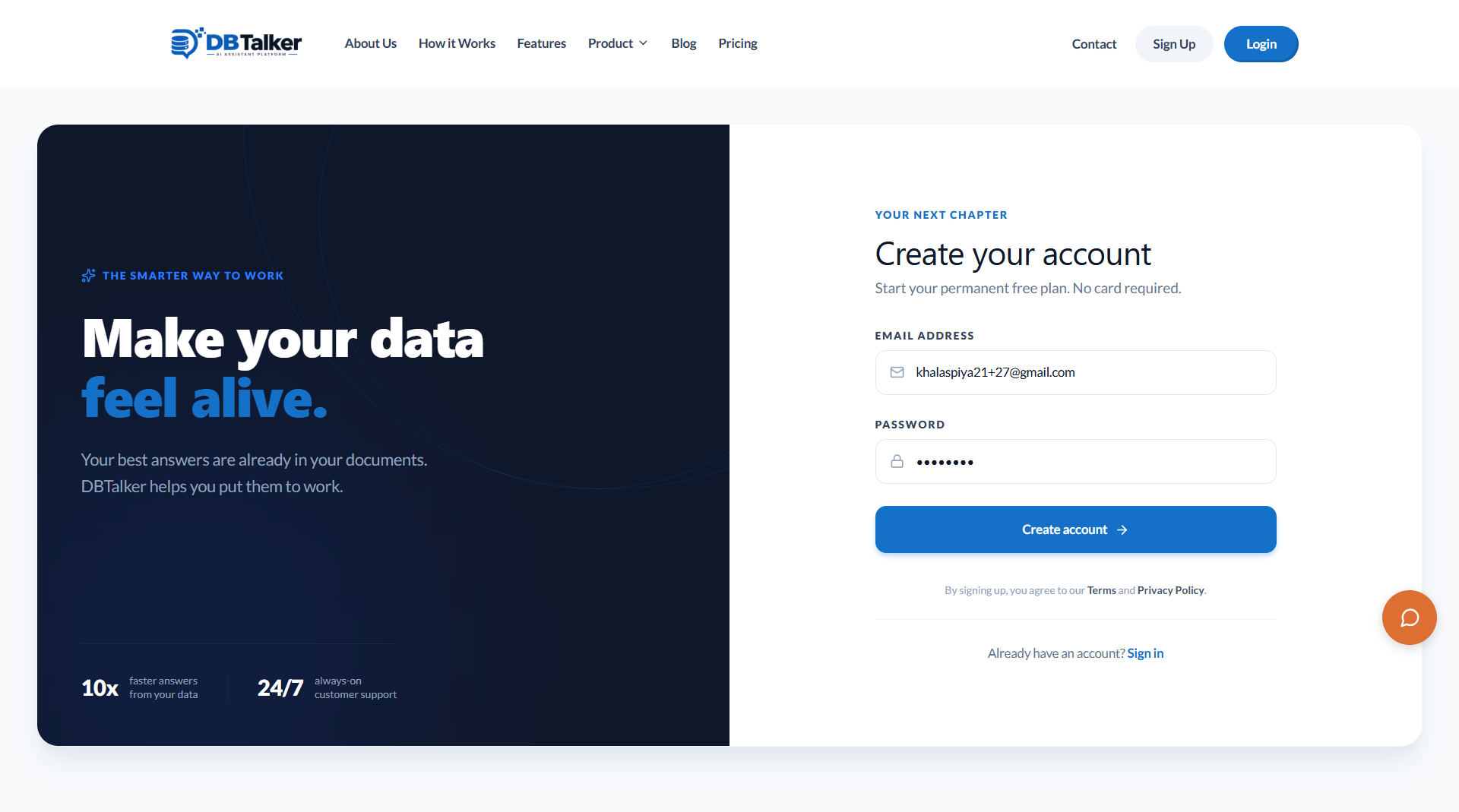
Create Your Account
Sign up in seconds to access your DBTalker dashboard. Start building your workspace immediately on our permanent free plan, then scale as you grow.
- Premium Visual Interface
- End-to-End Automation
- No technical skills needed
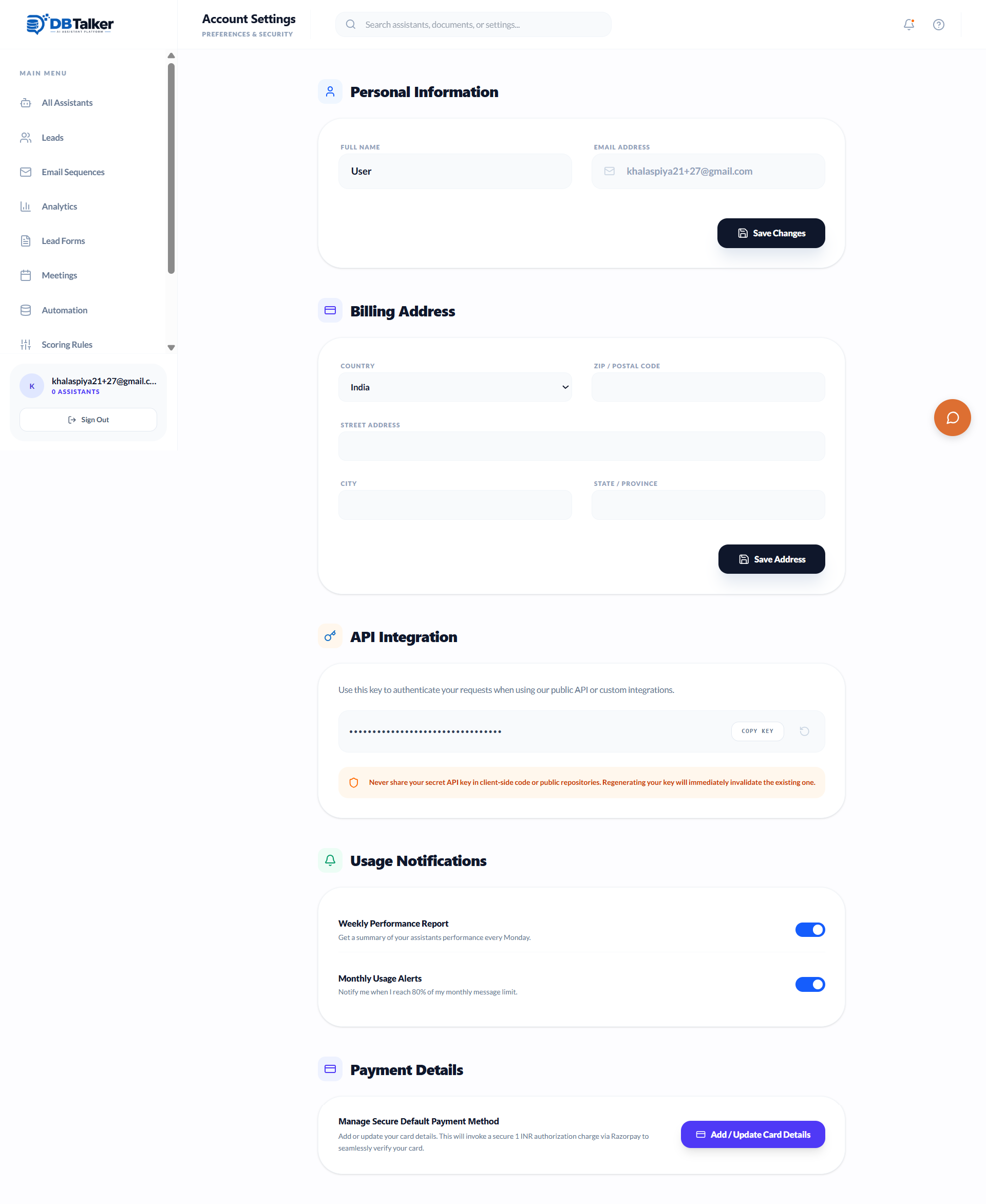
Manage Your Settings
Configure your profile, API integrations, usage notifications, and billing details completely safely within your personalized dashboard hub.
- Secure Information
- API Keys Management
- Billing Configuration
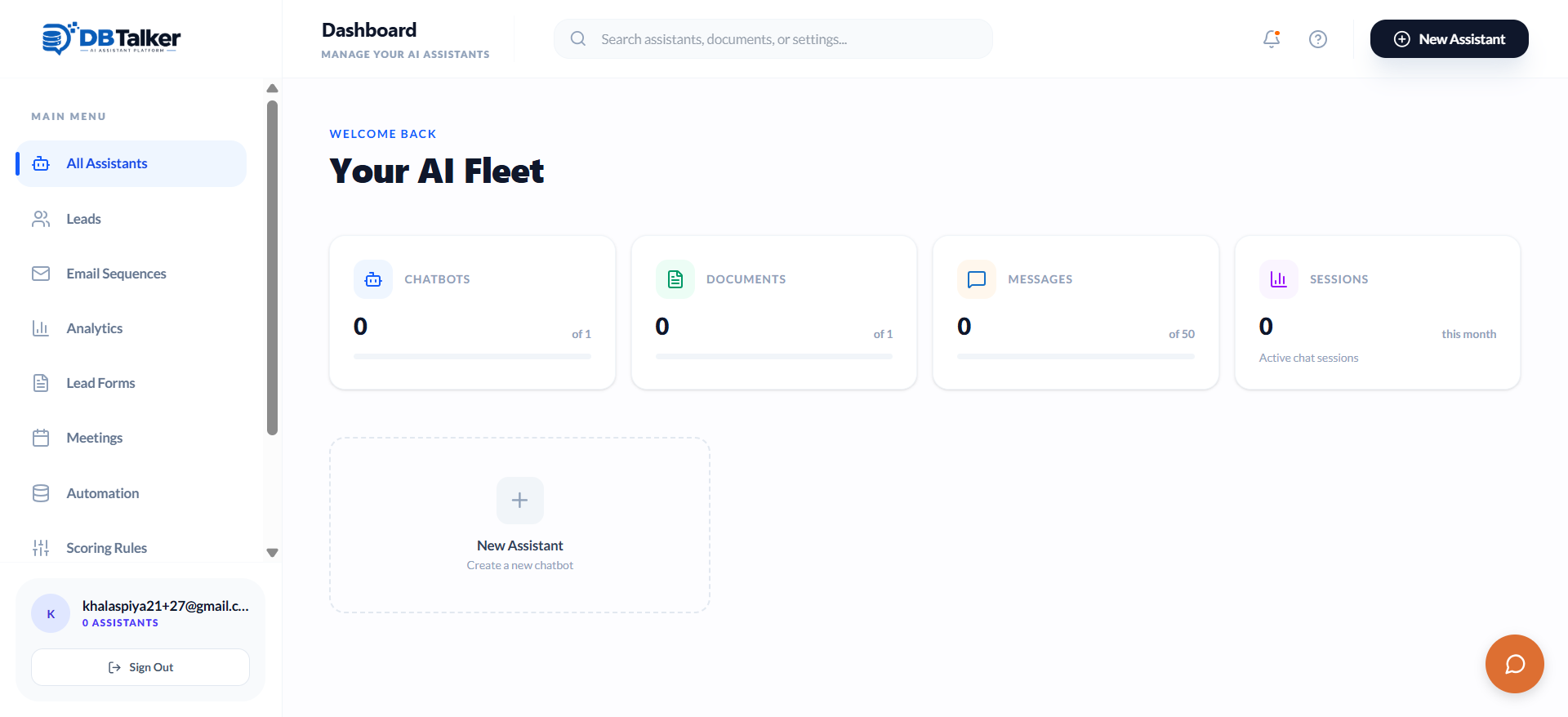
Access Your Dashboard
Keep track of all your AI assistants, leads, email sequences, analytics, and automation in one clean, centralized command center.
- Unified Command Center
- Real-time Metrics
- Easy Navigation
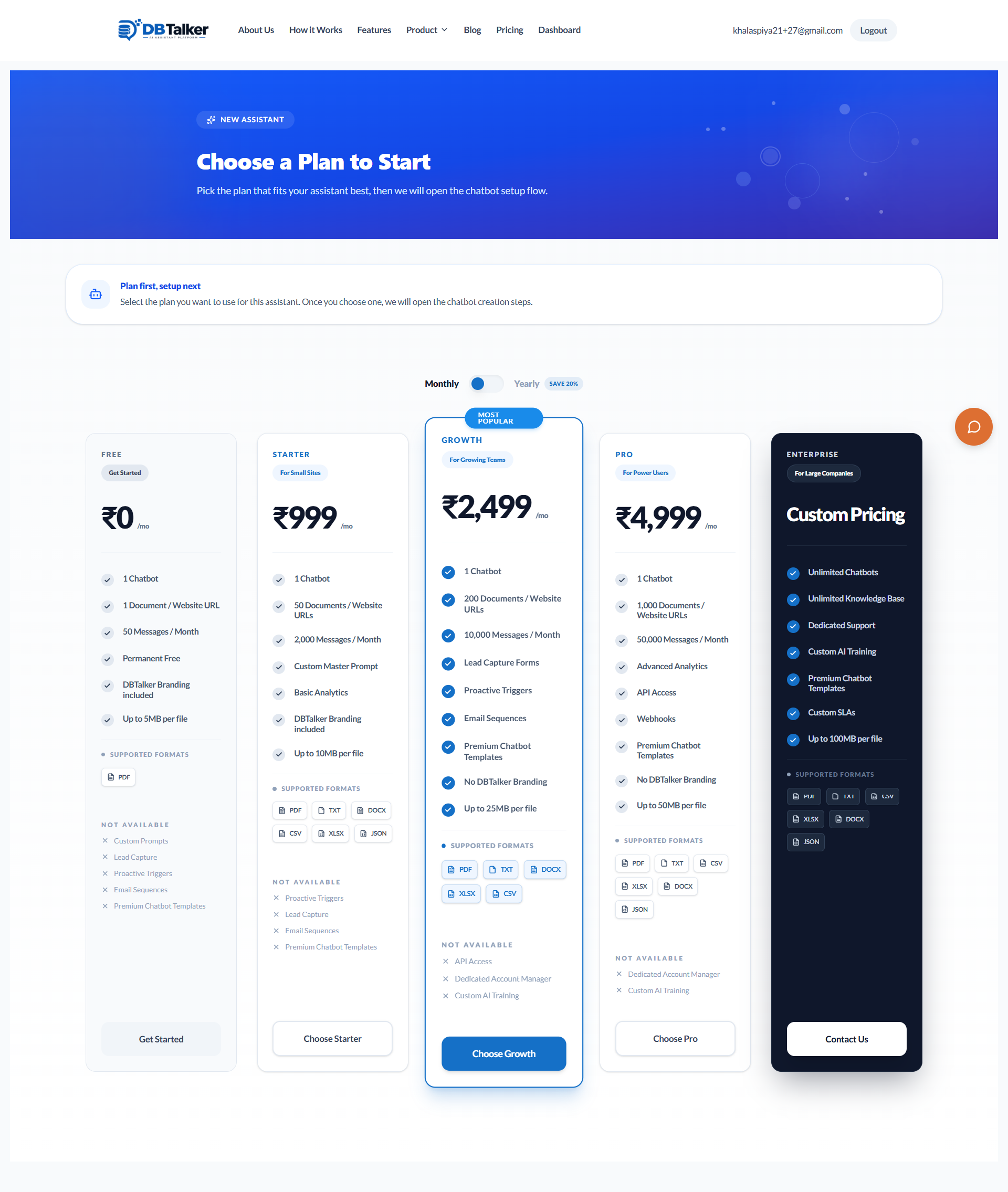
Select a Pricing Plan
Choose a plan that fits your exact needs. Ranging from our highly capable permanent Free plan up to Enterprise tier volume processing.
- Transparent Pricing
- Scalable Options
- No Hidden Fees
Initiate Assistant Creation
Launch the AI Creation Wizard to setup a new tailored chatbot. Start completely from scratch or leverage one of our professional industry templates.
- Lightning Fast Setup
- Industry Templates
- Custom Bot Logic
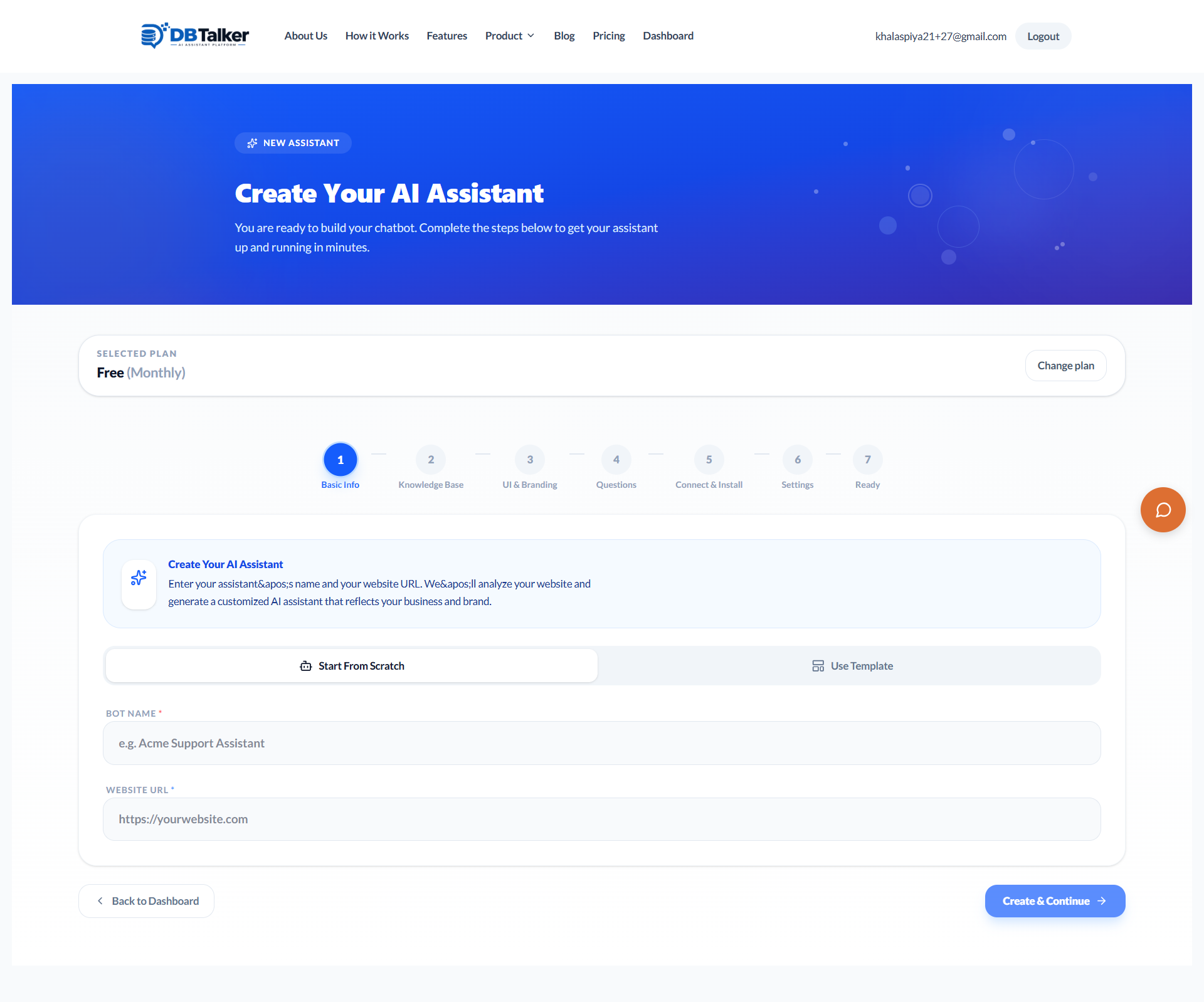
Define Basic Information
Assign your AI a memorable name and tether it directly to your primary website URL context. This automatically gears the assistant towards your exact domain.
- Custom Bot Identity
- Domain Tethering
- Dynamic URL Context
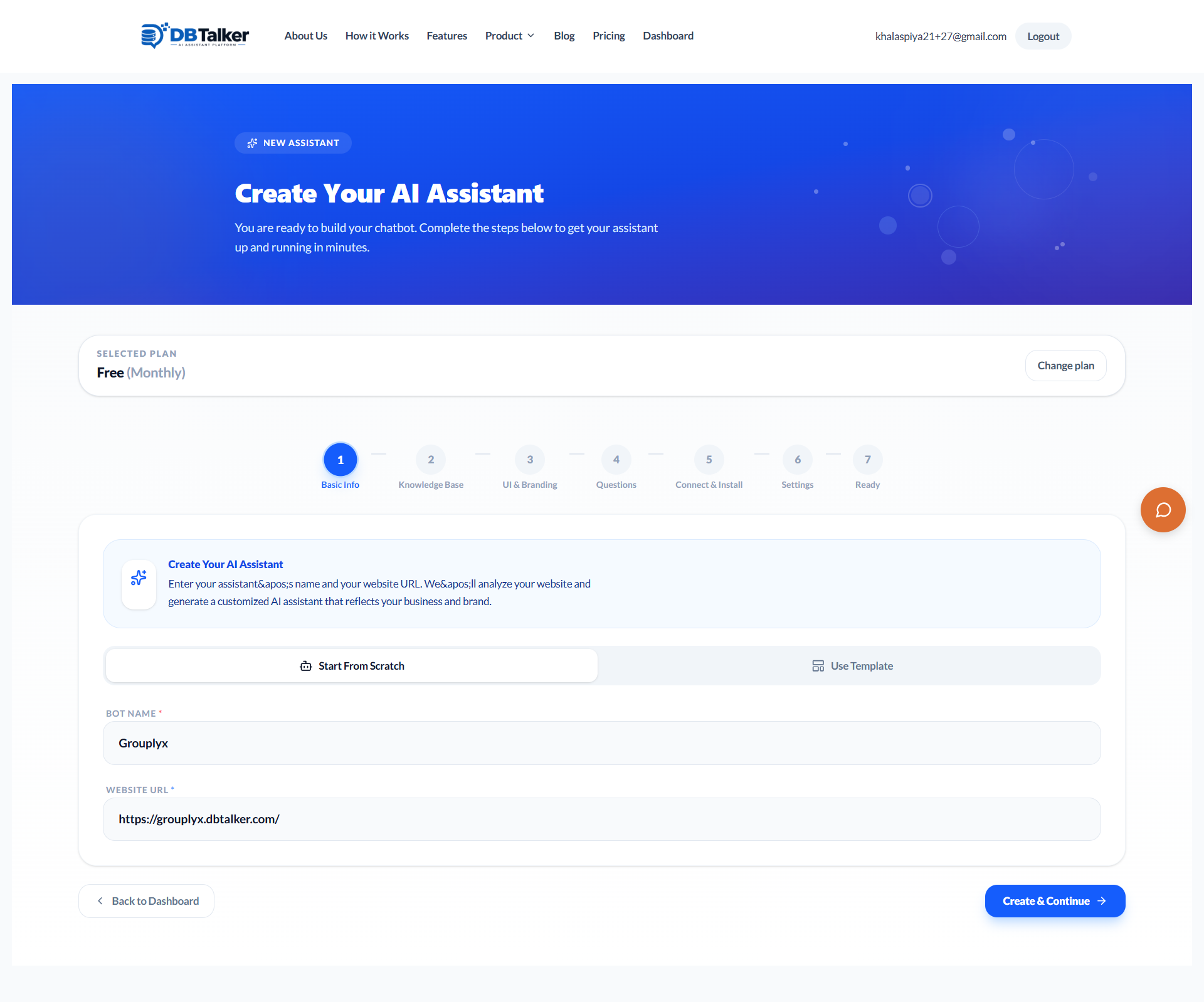
Choose a Chatbot Template
If you want to skip manual configuration, choose an industry-specific template like E-Commerce Shopper or Hospital Appointment Booker.
- SaaS Tech Support
- Real Estate Matchmaker
- Law Firm Intake
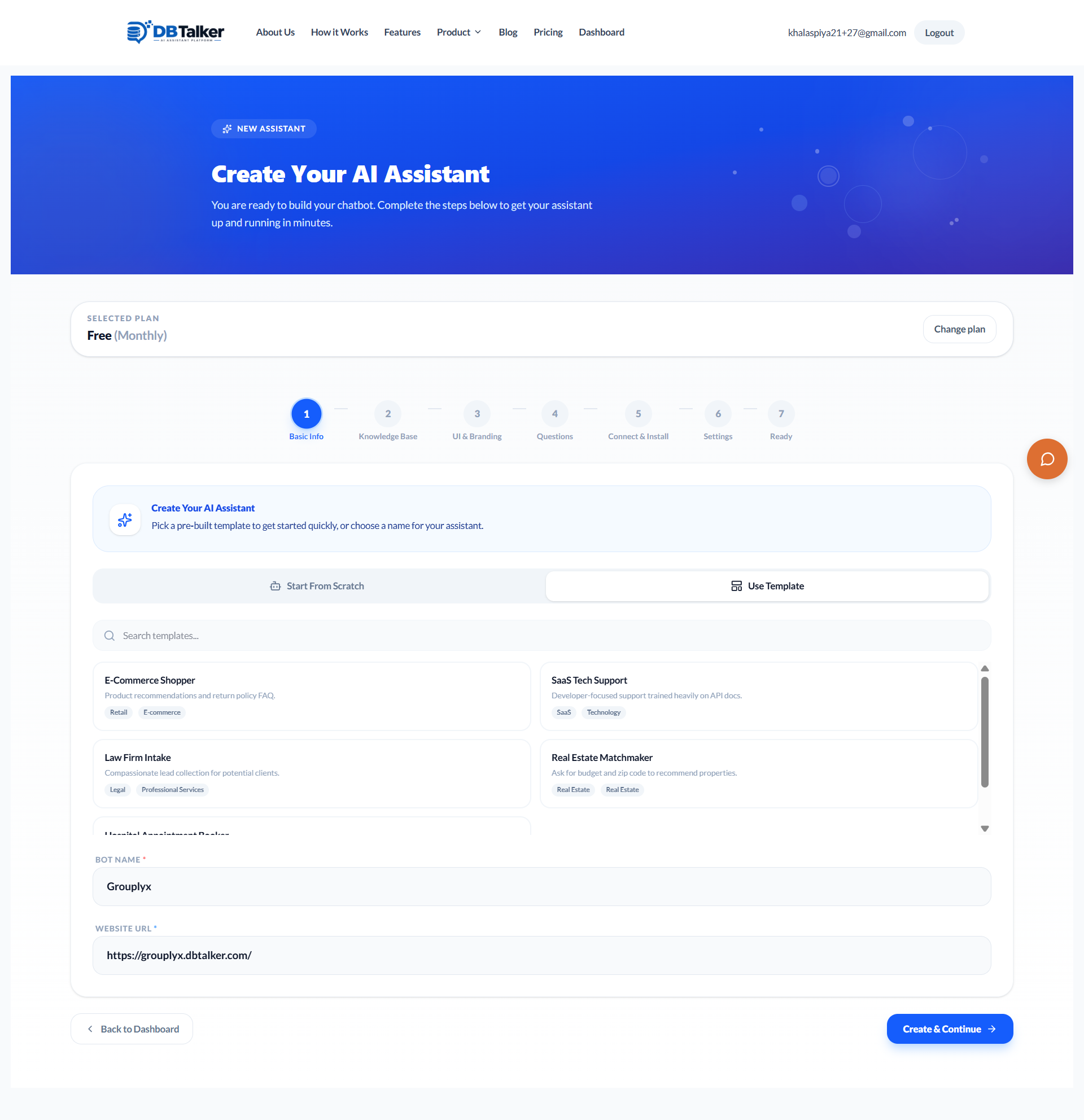
Train Your Knowledge Base
Feed the AI by pasting a website URL or uploading multiple files (PDF, DOCX, JSON, CSV, TXT, XLSX). The AI intelligently processes and indexes everything.
- Website URL Crawling
- Multi-format File Uploads
- Smart Auto-indexing
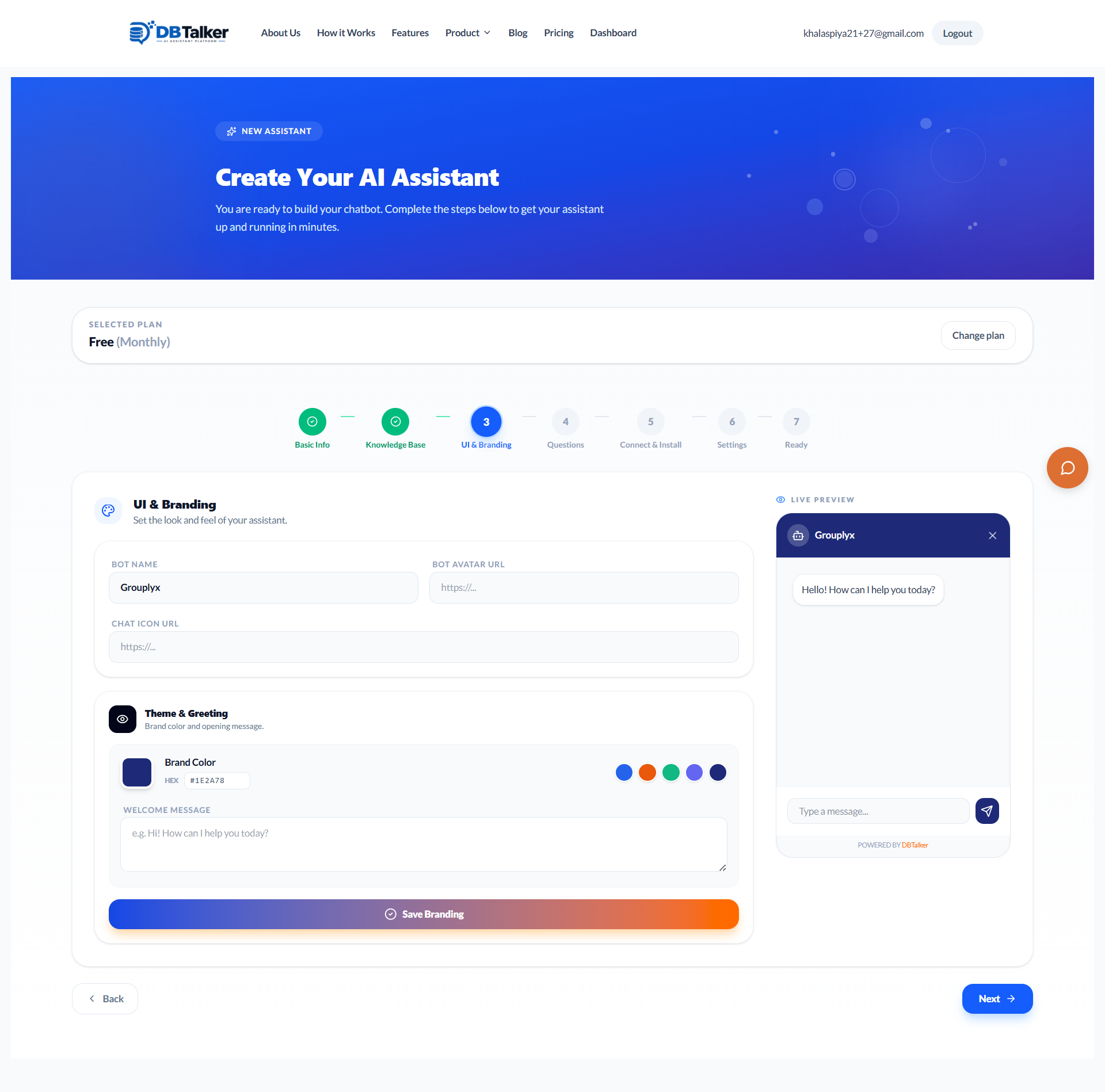
Customize UI & Branding
Make the assistant truly yours. Configure brand colors, avatar imagery, chat iconography, and initial welcome greeting messages.
- Custom Hex Branding
- Avatar Customization
- Tailored Welcome Messaging
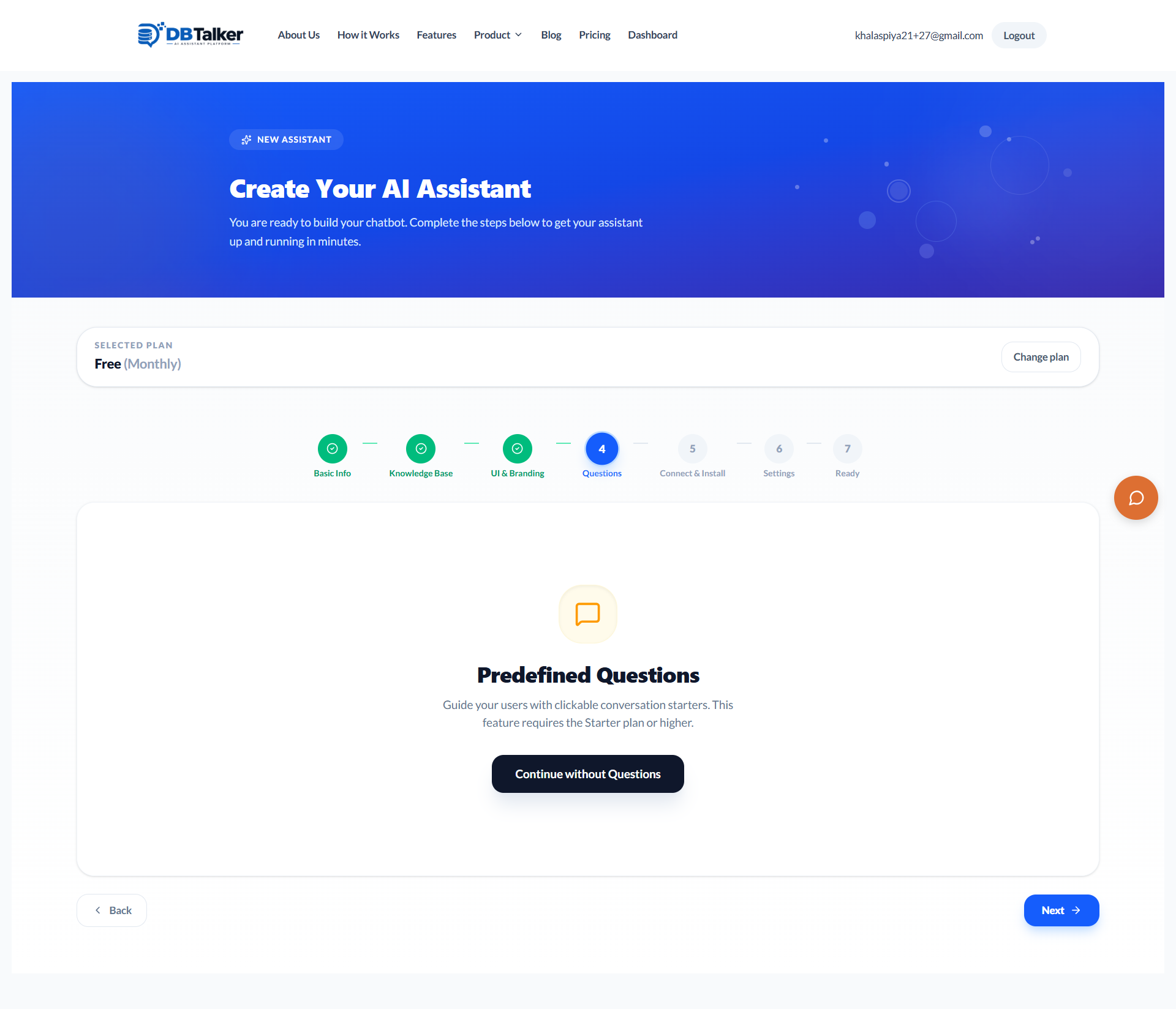
Configure Predefined Questions
Guide your users with dynamic clickable conversation starters. A powerful feature reserved for our Starter plans and above.
- Conversation Starters
- Frictionless Chats
- Guided User Flows
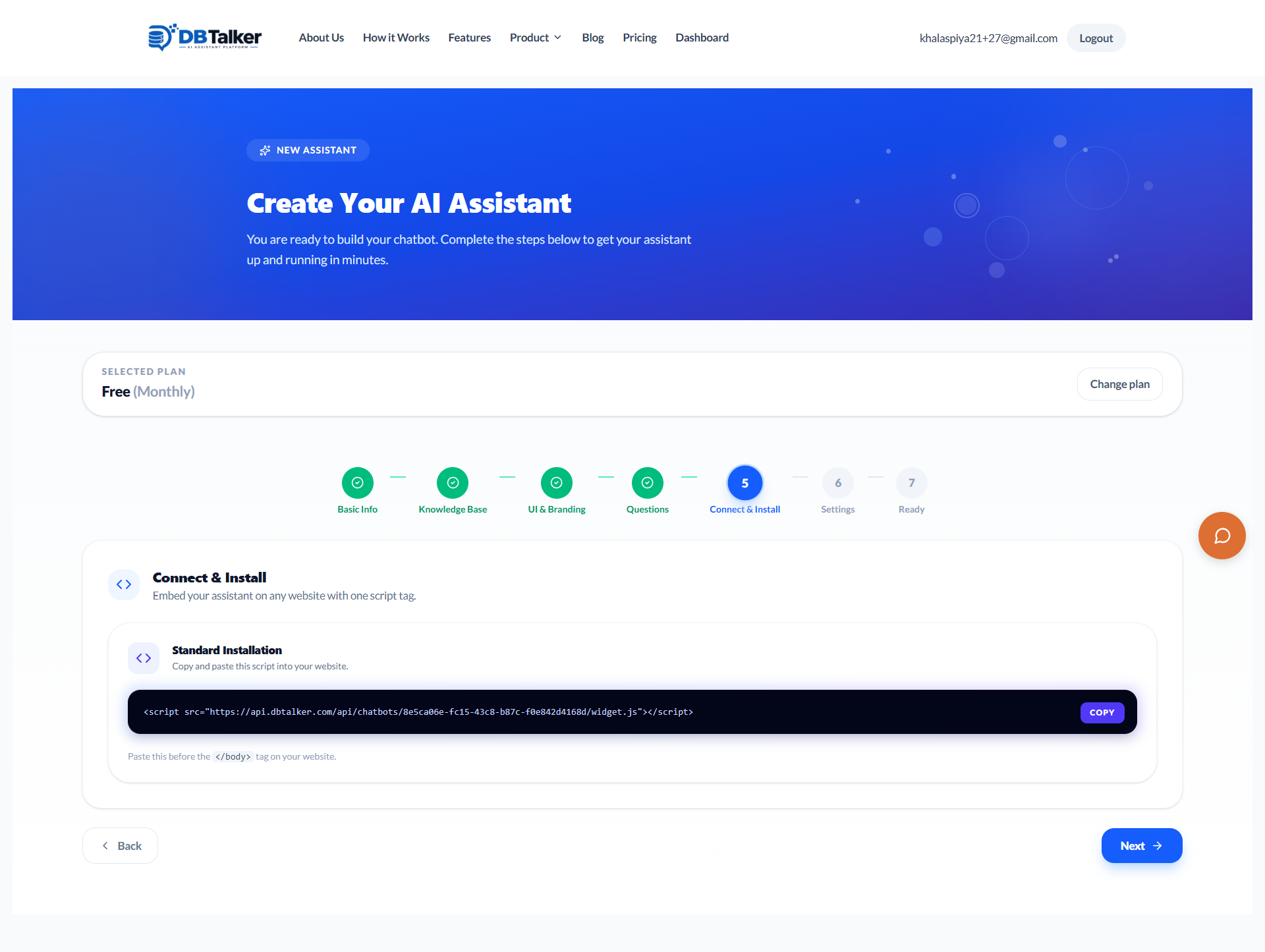
Embed on Your Website
With a single line of script tag, you can inject your highly capable AI assistant directly into any website configuration seamlessly.
- One-line Script Tag
- Universal Compatibility
- Zero Coding Required
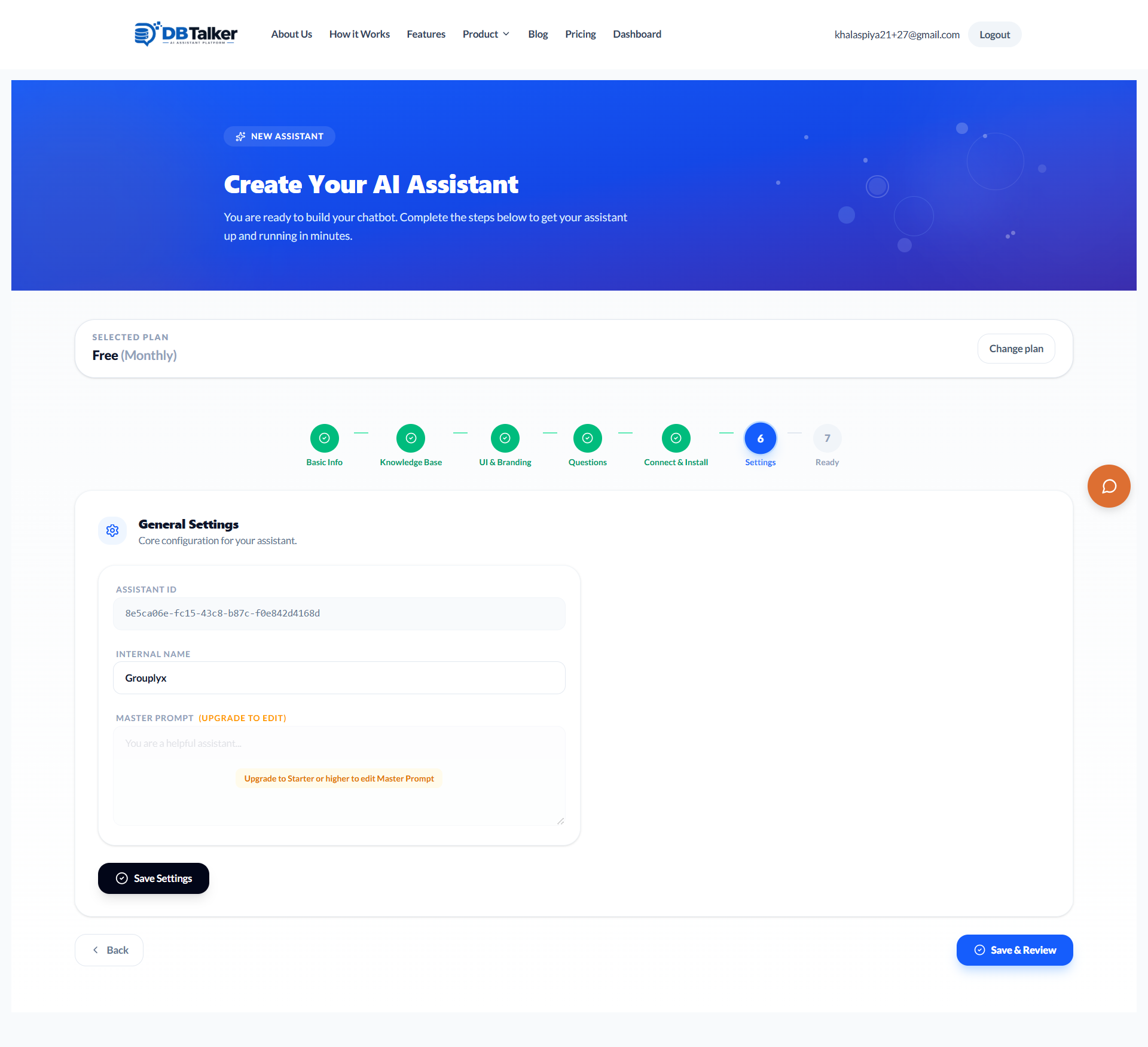
Configure Advanced Settings
Drill down to edit exactly how your assistant behaves. Access powerful configurations such as tweaking the internal Master Prompt.
- Master Prompt Editing
- Internal ID Tracking
- Advanced Configurations
Review Assistant Status
Finalize your complete setup loop. Validate the assistant configurations and immediately jump into the editor environment.
- Pre-flight Checklist
- One-Click Live Mode
- Instant Editor Access
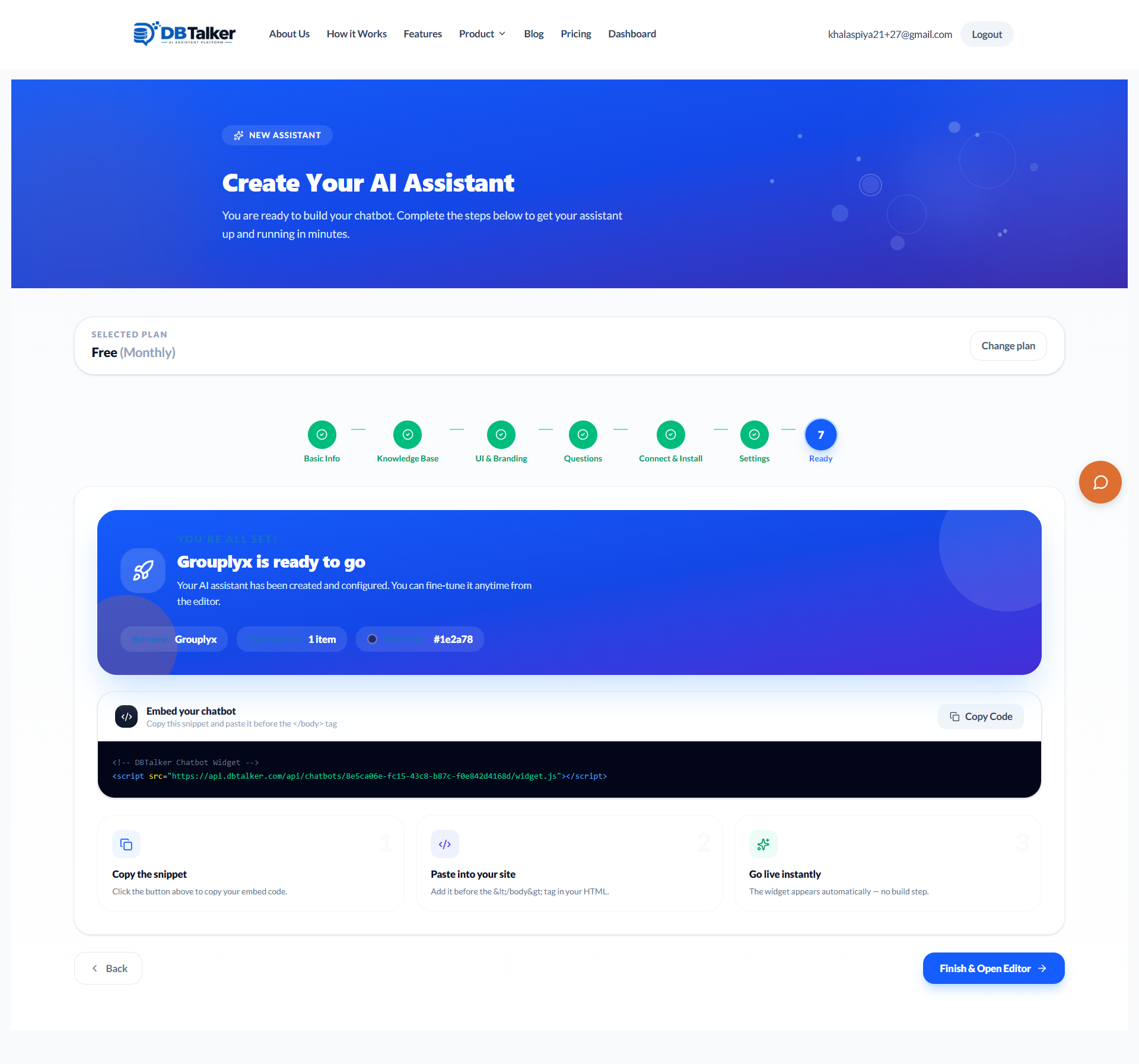
Test in Preview Mode
Safely test out your newly spawned AI bot directly within the DBTalker dashboard before rolling it out live to your customer base.
- Safe Sandbox Testing
- Live Widget Replication
- Private Validations
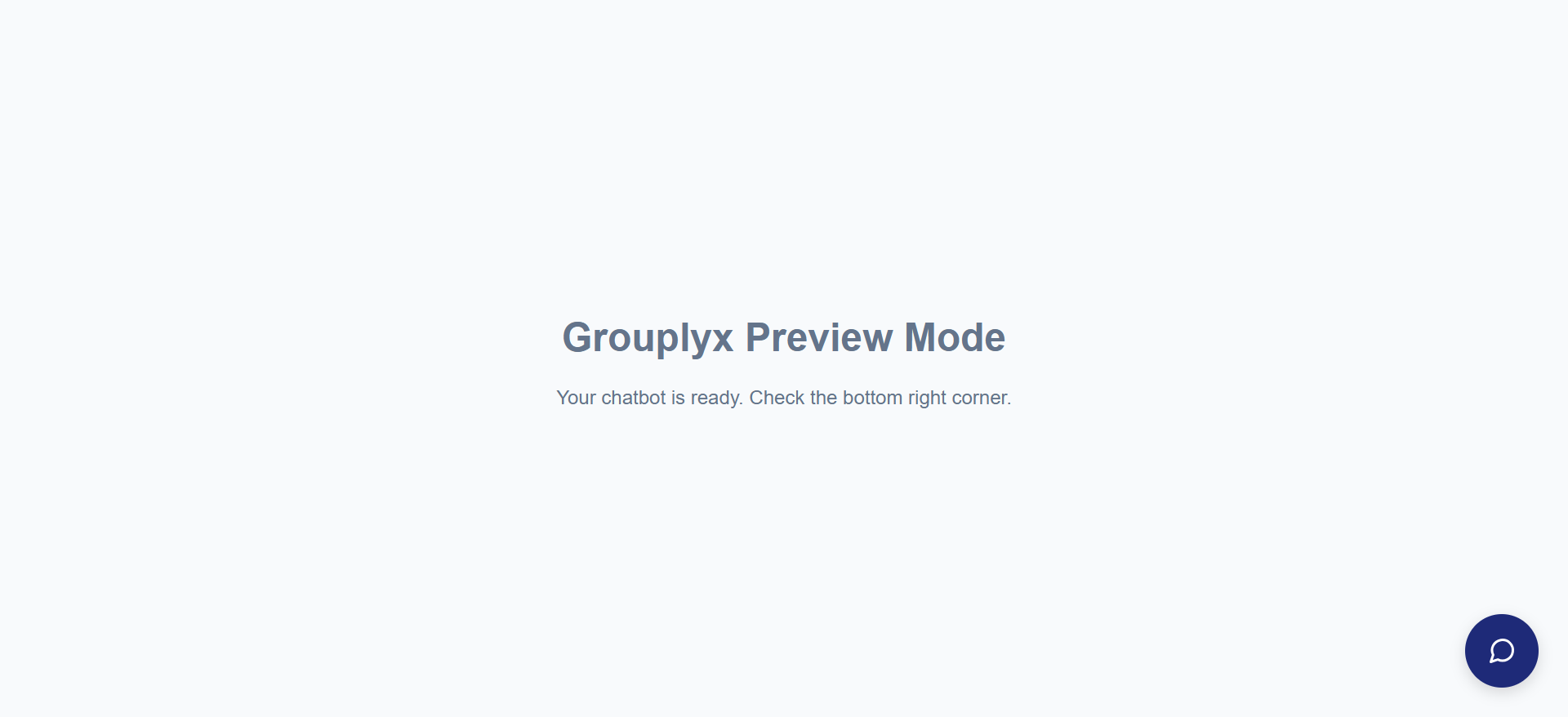
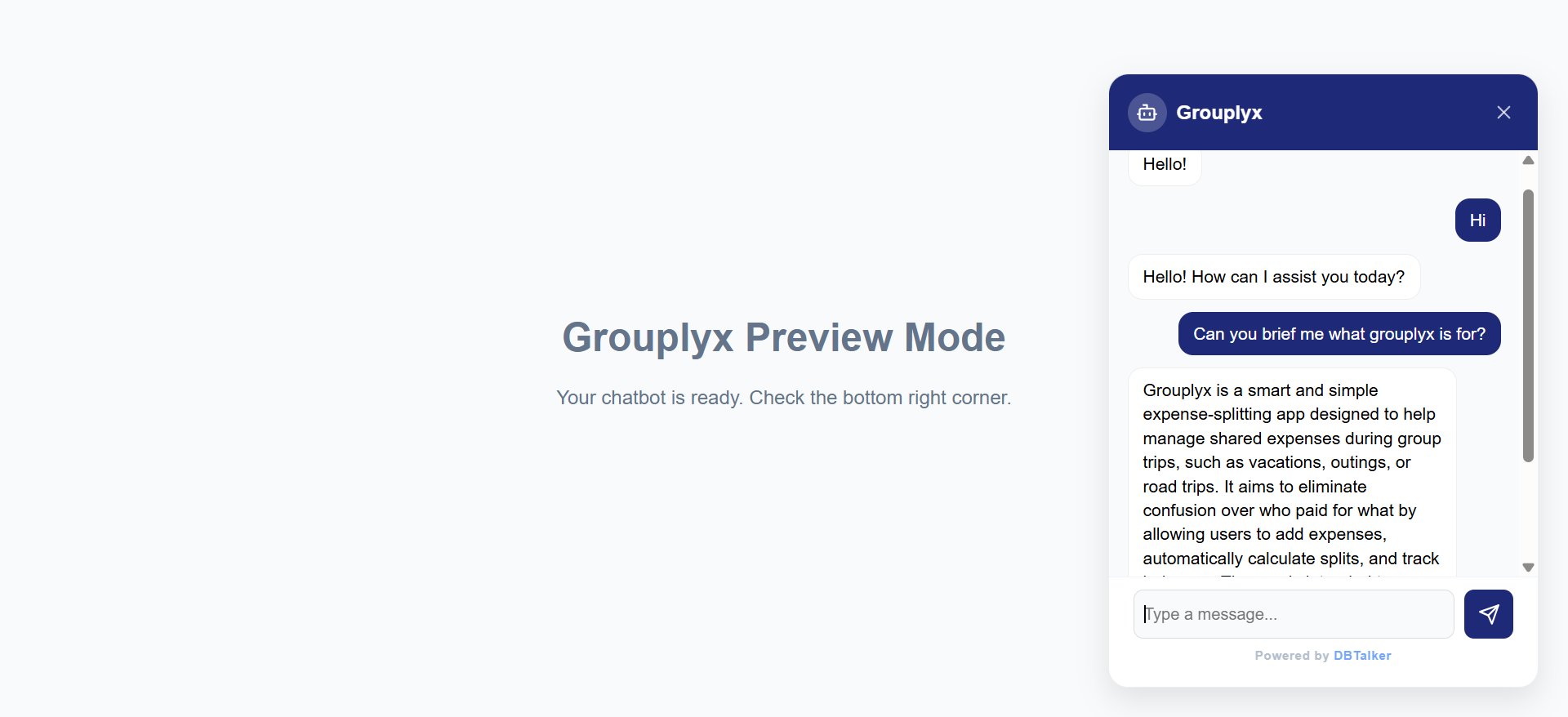
Experience Live AI Chat
Engage in natural, intelligent conversations. Your chatbot utilizes its loaded Knowledge Base and Custom Instructions to represent your brand masterfully.
- Context-Aware Replies
- Lightning Fast Speeds
- Highly Accurate Answers
Watch It In Action
Create a Smart Chatbot with DBTalker
Follow along as we set up a fully trained AI assistant from scratch in under 5 minutes.
Ready to give your business an AI brain?