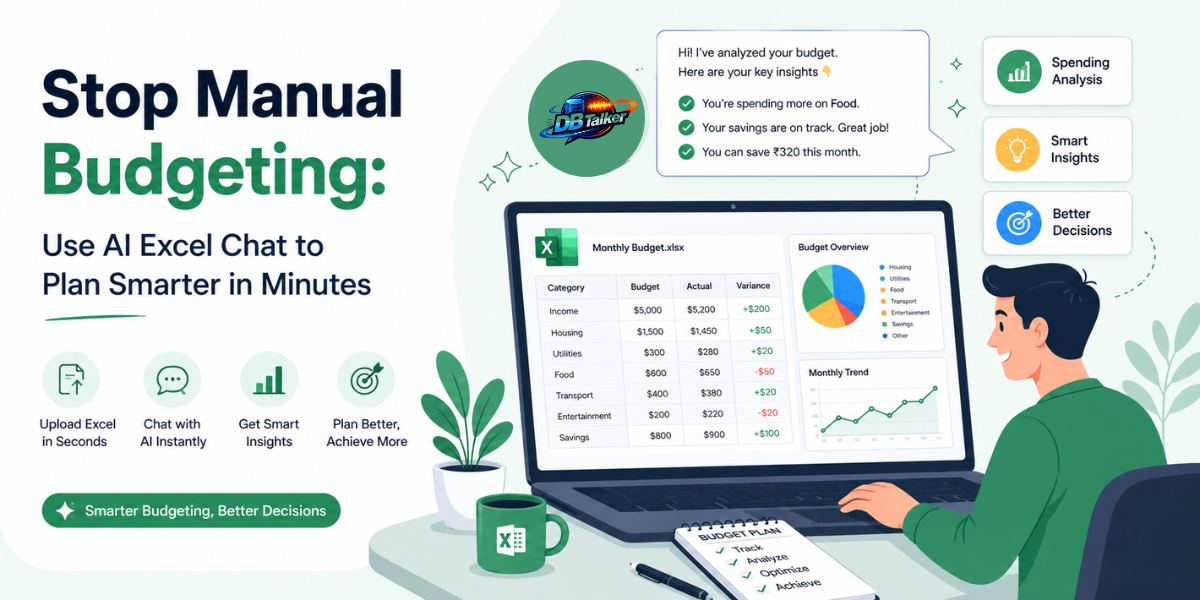
Be honest how many hours last month did you spend wrestling with Excel formulas, building pivot tables, or scrolling through hundreds of rows just trying to answer one simple question like "Are we over budget this quarter?"
If you nodded, you're not alone. Millions of professionals from startup founders to finance managers still treat budgeting like a manual chore. And the worst part? The data is already there, sitting right inside your XLSX file. You're just not able to talk to it.
That's where AI Excel Chat changes everything. Tools let you upload your spreadsheet and literally chat with your data in plain, everyday language. No formulas. No VLOOKUP nightmares. Just questions and instant answers.
The Real Cost of Manual Budget Planning
Most people underestimate what manual spreadsheet work actually costs them.
Think about it. Every time you want to know your month-over-month marketing spend, you have to open the file, scroll to the right sheet, write a SUMIF, double-check the cell references, and pray you didn't accidentally reference the wrong column. Then you format it. Then someone asks you to compare it to last quarter. And you start all over again.
That's not analysis. That's administration. And it's quietly draining your most valuable resource your time.
Studies on workplace productivity show that knowledge workers spend an average of 20–30% of their working hours on data preparation and reporting tasks that add zero strategic value. In a 40-hour week, that's potentially 8–12 hours of work that AI can now handle in seconds.
Beyond time, there's the human error problem. Excel is powerful, but it’s unforgiving. A misplaced dollar sign in a formula, a forgotten absolute reference, or one accidentally deleted row can silently corrupt an entire report. And unlike AI-driven tools, Excel has no way of telling you when something looks suspicious.
What Is AI Excel Chat, and How Does It Actually Work?
AI Excel Chat is exactly what it sounds like an artificial intelligence layer that sits on top of your spreadsheet data and lets you interact with it conversationally.
- Upload your XLSX file. Whether it's a financial ledger, a marketing performance report, a sales tracker, or a payroll sheet — you upload it as-is.
- The AI reads your structure. It understands your column headers, data types, row relationships, and the overall schema of your spreadsheet — no manual configuration needed.
- You ask questions in plain English. Things like "What's my total ad spend in March?" or "Which product category had the highest return rate last quarter?"
- The AI answers instantly. With actual numbers pulled directly from your data, not see things.
Under the top, modern AI Excel Chat tools use a technique called RAG (Retrieval-Augmented Generation). Instead of loading your entire spreadsheet into the AI's memory at once (which would be slow and inaccurate for large files), RAG intelligently indexes your data and retrieves only the relevant chunks needed to answer each specific question. This is what makes it fast, scalable, and surprisingly accurate even on spreadsheets with thousands of rows.
Five Ways AI Excel Chat Transforms Budget Planning
- Ask Instead of Formula
You don't need to know INDEX-MATCH, AVERAGEIF, or nested IFs anymore. Want the average monthly expense for your logistics department across the last six months? Just ask. The AI does the math, finds the right rows, and gives you the number. Done in three seconds.
- Instant Variance Analysis
Budget vs. actuals is the bread and butter of financial planning. Normally, building a variance report means creating a new column, writing a subtraction formula, applying conditional formatting, and probably rebuilding it every month. With AI Excel Chat, you ask "Where did we overspend compared to budget this quarter?" and you get a clear breakdown immediately.
- Cross-Column Insights Without Pivot Tables
Pivot tables are powerful, but they have a steep learning curve and take time to set up correctly. AI Excel Chat naturally understands the relationships between your columns. Ask it to cross-reference customer region with revenue and product category in one question and it will.
- Anomaly Detection on Demand
Is that ₹85,000 logistics expense in February normal or suspicious? AI tools can scan across your dataset and flag values that look significantly out of range compared to historical patterns something that would take a human analyst considerable time to spot manually.
- Meeting-Ready Summaries in Seconds
Before your next budget review meeting, instead of spending 45 minutes building a summary slide, just ask: "Summarize the key budget highlights for Q3." Get a clean, bullet-point-ready summary you can paste straight into your presentation.
Who Should Be Using AI Excel Chat Right Now?
This isn't just for finance teams. Here's a quick reality check:
Startup founders managing burn rate and runway need fast answers, not a crash course in Excel formulas.
Marketing managers tracking campaign budgets across multiple channels need cross-tabulation without the pain.
HR and operations lead who get monthly payroll or productivity exports but lack the technical chops to analyses them efficiently.
Freelancers and small business owners who use Excel to track invoices and expenses but aren't data analysts by training.
Accountants working with large general ledger exports who need to scan for specific transactions or verify monthly reconciliations quickly.
Basically, if you work with data and you're not a dedicated data engineer, AI Excel Chat was built for you.
Trending Subtopics You Should Know
The world of AI-driven spreadsheet analysis is moving fast. Here are the key trends shaping this space:
Conversational BI (Business Intelligence): The shift from dashboards to dialogue. Instead of building static reports, teams are asking real-time questions directly to their data — exactly what AI Excel Chat enables.
No-Code Data Analysis: The rise of tools that require zero technical skill to extract insights from structured data. AI Excel Chat is at the forefront of this wave.
LLM-Powered Document Understanding: Large Language Models (LLMs) like the ones powering can now understand tabular structure natively not just read text, but actually interpret rows, columns, headers, and numerical relationships.
AI in FP&A (Financial Planning & Analysis): Enterprise finance teams are adopting AI chat interfaces to speed up budgeting cycles from weeks to hours.
RAG for Structured Data: Retrieval-Augmented Generation is becoming the gold standard for accuracy when querying large spreadsheet datasets ensuring the AI pulls real data, not fabricated numbers.
Multi-format AI document tools: The next evolution goes beyond Excel now also support PDF, Word, CSV, JSON, and website data, making it a unified AI data workspace.
Why DBTalker Is Worth Your Attention?
DBTalker stands out because it's designed for real-world professional use cases not just demos. Here's what makes it different:
- Zero formula knowledge required. You type questions the same way you'd text a colleague.
- Works with real enterprise data. Large general ledger exports, multi-column marketing reports, complex payroll sheets it handles them all using RAG technology.
- Privacy-first. Your files are securely processed, and your data is never used to train public AI models.
- Broad format support. Beyond XLSX, it also handles CSV, and exported Google Sheets whatever format your data lives in.
- No complicated onboarding. Upload a file, start chatting. That's genuinely it.
If you're still spending hours on budgeting spreadsheets, DBTalker gives you those hours back.
Conclusion:
Manual budgeting in Excel made sense when there were no better options. That era is over. AI Excel Chat tools like DBTalker are not a luxury for big enterprises with data science teams. They're now accessible, affordable, and genuinely useful for anyone who deals with spreadsheet data on a regular basis. The shift from writing formulas to asking questions isn't just a productivity upgrade it's a fundamentally smarter way to work with your own data.
Stop scrolling through rows. Stop building pivot tables that take 45 minutes to get right. Upload your file, ask your question, and get your answer.