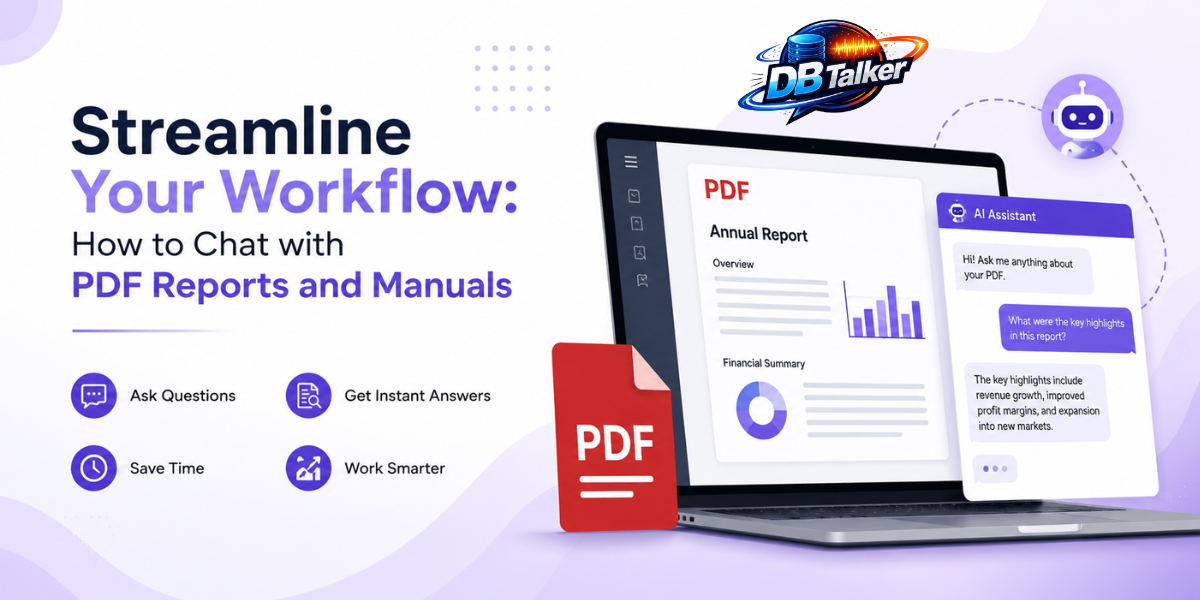
PDFs are everywhere in the modern workplace. From annual reports and technical manuals to research papers, employee handbooks, and product documentation, organizations rely on PDF files to store and share critical information. While PDFs are excellent for preserving formatting and ensuring consistency across devices, finding the exact information you need within lengthy documents can be frustrating and time-consuming.
Imagine searching through a 300-page technical manual to locate a single troubleshooting step or combing through a financial report to find last quarter's revenue growth. Traditional methods like scrolling through pages or using the "Ctrl + F" search function often fall short, especially when you don't know the exact keywords you're looking for.
This is where AI-powered PDF chat transforms the way we interact with documents. Instead of manually searching through hundreds of pages, you can simply ask questions in natural language and receive relevant, contextual answers in seconds.
In this guide, you'll learn what it means to AI chat with PDF how AI-powered PDF assistants work, their benefits, practical use cases, and best practices for getting accurate answers.
What Does It Mean to Chat with a PDF?
Chatting with a PDF means using artificial intelligence to interact with documents conversationally. Instead of reading every page or relying solely on keyword searches, you ask questions just as you would ask a colleague or assistant.
For example, you can ask:
- "What are the key findings of this report?"
- "Summarize Chapter 5."
- "What are the maintenance instructions for the cooling system?"
- "List all safety precautions mentioned in this manual."
- "Compare this year's revenue with last year's."
The AI analyzes the content of your PDF and provides relevant answers based on the information contained within the document. Many advanced tools also reference the specific pages or sections where the information appears, making it easy to verify responses. Unlike traditional search, AI understands context
Why Businesses and Professionals Need PDF Chat?
Organizations generate and consume thousands of documents every year. Reading each one manually isn't practical, especially when employees need quick answers to make informed decisions.
Save Valuable Time:
Professionals often spend significant portions of their workday searching for information across multiple documents. AI dramatically reduces this effort by providing instant answers instead of requiring users to skim hundreds of pages. Whether you're reviewing contracts, operational procedures, or research reports, conversational search eliminates repetitive manual work.
Improve Productivity:
Employees no longer need to switch between bookmarks, indexes, or multiple browser tabs. Instead, they can ask direct questions and immediately receive concise explanations or summaries. This allows teams to focus more on decision-making and less on document navigation.
Reduce Information Overload:
Large reports often contain hundreds of charts, tables, appendices, and detailed explanations. AI helps users identify the most relevant information without reading everything from beginning to end. For executives, analysts, and managers, this means faster access to actionable insights.
Better Decision-Making:
Quick access to accurate information enables faster and more confident decisions. Instead of waiting for someone to locate information manually, teams can retrieve important details almost instantly.
How AI Chats with PDF Documents?
Although the technology behind AI-powered PDF chat is sophisticated, the user experience is remarkably simple.
Step 1: Upload Your PDF
Start by uploading one or more PDF documents to your preferred AI-powered document assistant. These could include reports, manuals, research papers, contracts, or internal documentation.
Step 2: AI Processes the Content
The system reads and indexes the document, understanding its structure, headings, paragraphs, tables, and relationships between different sections.
Many AI tools also support Optical Character Recognition (OCR), allowing them to process scanned PDFs by converting images of text into searchable content.
Step 3: Ask Questions Naturally
Once processing is complete, you can begin asking questions using everyday language.
Examples include:
- What are the main conclusions?
- Which chapter explains installation?
- What warranty terms are included?
- Summarize the executive overview.
- What risks are highlighted?
There's no need to remember exact phrases or keywords.
Step 4: Receive Contextual Answers:
Instead of returning a list of matching keywords, AI generates complete responses based on the document's content. Many tools also cite the relevant page numbers or sections, making it easy to verify the information. Some advanced solutions even allow follow-up questions, creating a continuous conversation without repeating previous context.
Practical Use Cases
AI-powered PDF chat benefits professionals across many industries.
Business Reports:
Business leaders often need quick insights from quarterly reports, annual reports, or market research.
Instead of reading hundreds of pages, they can ask:
- What were the company's biggest achievements?
- What are the major risks?
- Which departments exceeded targets?
- Summarize financial performance.
This helps executives prepare presentations, meetings, and strategic decisions much faster.
Technical Manuals:
Engineers and technicians regularly work with extensive equipment documentation.
Rather than searching through complex manuals, they can ask:
- How do I reset the device?
- What causes Error Code 104?
- What maintenance schedule is recommended?
- What safety precautions should I follow?
This significantly reduces troubleshooting time and improves operational efficiency.
Research Papers:
Researchers and students frequently analyze lengthy academic papers.
AI can help by:
- Summarizing findings
- Explaining complex concepts in simpler language
- Identifying research methodologies
- Extracting conclusions
- Comparing multiple studies
This allows users to review more literature in less time.
HR and Company Policies:
Human Resources teams manage employee handbooks, policy documents, and compliance manuals.
Instead of manually searching for policies, employees can ask questions like:
- What is the parental leave policy?
- How many vacation days are available?
- What are the reimbursement guidelines?
- What is the remote work policy?
This improves employee self-service and reduces repetitive HR inquiries.
Legal Documents:
Legal teams often review lengthy agreements and contracts.
AI assists by helping users locate:
- Payment terms
- Renewal clauses
- Confidentiality obligations
- Termination conditions
- Compliance requirements
While legal professionals should always verify important clauses themselves, AI can significantly speed up document review.
Key Features to Look For AI Chat in PDF
Not all AI PDF chat tools offer the same capabilities. When evaluating a solution, consider features such as:
- Accurate contextual understanding
- Support for large PDF files
- OCR for scanned documents
- Multi-document conversations
- Page-level citations
- Fast response times
- Secure document handling
- Collaboration features for teams
These capabilities can significantly improve your workflow, particularly if you work with complex documentation daily.
The Future of Document Intelligence
As AI technology continues to evolve, document interaction is becoming more intelligent and intuitive. Future PDF assistants are expected to provide richer insights, generate executive summaries automatically, identify trends across reports, and integrate seamlessly with workplace productivity tools.
Rather than acting as simple search engines, these systems are becoming intelligent research assistants that help users understand, analyze, and act on information more efficiently.
Conclusion:
Long PDF reports and technical manuals are valuable sources of information, but finding the right details shouldn't require hours of reading or endless scrolling. AI-powered PDF chat changes the experience by allowing users to ask questions in natural language and receive contextual, relevant answers within seconds.
Whether you're reviewing business reports, troubleshooting equipment, analyzing research papers, or searching company policies, conversational AI helps you work faster, improve productivity, and uncover insights with greater ease.
As organizations continue to embrace AI-driven productivity tools, chatting with PDFs is quickly becoming a smarter, more efficient way to interact with documents. Instead of spending your time searching for information, you can spend it using that information to make better decisions, solve problems faster, and streamline your workflow with DBTalker an AI Chatbot today!