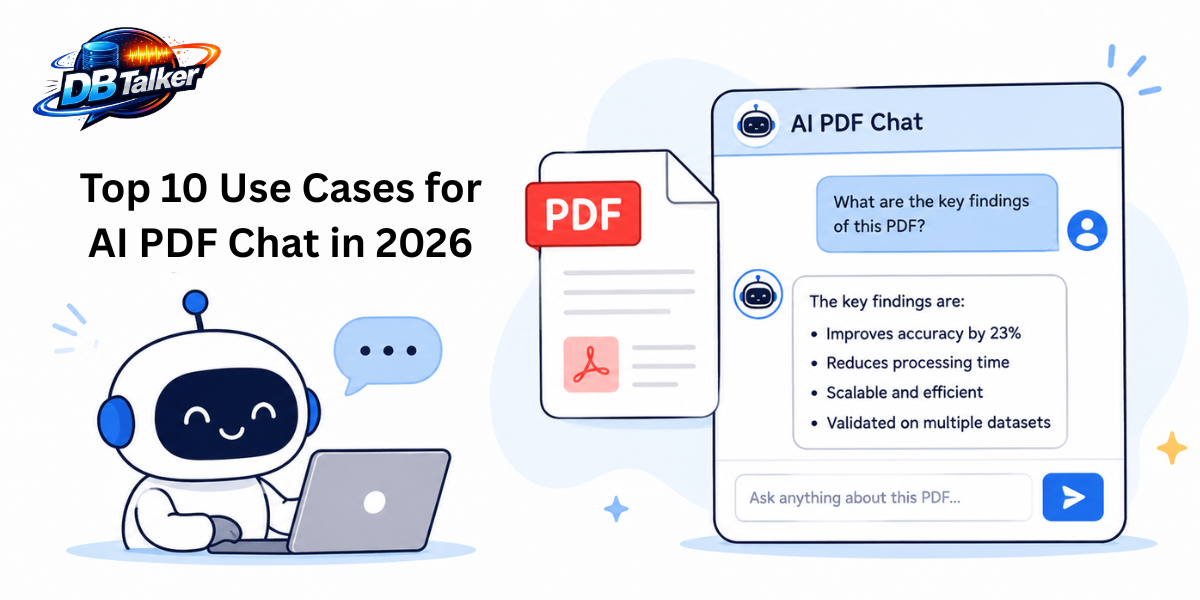
Reading long PDF documents manually is becoming outdated. Businesses, students, researchers, marketers, and legal teams are now using AI PDF Chatbot to interact with documents like they are talking to a real assistant.
Instead of scrolling through hundreds of pages, users can simply upload a PDF and ask questions in natural language. AI instantly summarizes, explains, extracts information, and even compares sections across documents.
Modern AI PDF chat systems are powered by conversational AI, semantic search, and Retrieval-Augmented Generation (RAG), making document analysis faster and smarter than ever. DBTalker are helping businesses and professionals simplify document workflows with AI-powered PDF conversations, intelligent search, and automated knowledge extraction.
Explore the top 10 use cases for AI PDF Chat and why this technology is becoming essential
- Instant Document Summarization:
One of the most popular use cases of AI PDF Chat is instant summarization.
Professionals often deal with long reports, research papers, contracts, business proposals, and manuals. Reading every page consumes valuable time. AI PDF chat tools can generate concise summaries within seconds.
Users can ask:
- “Summarize this PDF in 5 points.”
- “Explain the main findings.”
- “Give me a short overview.”
This feature is especially useful for:
- Business reports
- Academic papers
- Market research
- Financial statements
- Government documents
AI-powered summarization is becoming a core productivity feature across modern document tools.
- Research and Academic Assistance:
Students and researchers are increasingly using AI chat with PDF tools for academic work. Instead of manually searching through journals and textbooks, users can:
- Ask questions directly from research papers
- Extract references
- Compare findings
- Understand difficult concepts
- Generate study notes
AI PDF assistants help reduce research overload by making documents conversational and searchable.
This is especially valuable for:
- PhD scholars
- Universities
- Medical research
- Scientific literature review
- Competitive exam preparation
AI PDF chat also supports multilingual understanding, helping global learners access knowledge faster.
- Legal Contract Analysis:
Legal teams handle massive amounts of PDF contracts every day. AI PDF Chat can quickly identify important clauses, obligations, deadlines, and risks.
Law firms and enterprises use AI PDF systems to:
- Detect legal clauses
- Compare agreements
- Highlight liabilities
- Review compliance documents
- Extract contract terms
Instead of manually searching through hundreds of pages, users can simply ask:
- “What are the termination conditions?”
- “Show payment terms.”
- “Find confidentiality clauses.”
This saves hours of manual work and improves document accuracy.
- Business Knowledge Management:
Modern companies store thousands of PDFs including SOPs, manuals, training materials, HR policies, and technical documentation. AI PDF Chat transforms these static files into an intelligent knowledge base.
Employees can ask:
- “What is the company leave policy?”
- “How do I configure this system?”
- “Show onboarding steps.”
According to recent AI trends, conversational document search is becoming one of the fastest-growing enterprise AI applications.
Businesses using AI-powered document chat improve:
- Team productivity
- Employee onboarding
- Internal support
- Information accessibility
This is where AI PDF Chatbot can help organizations create smarter AI-driven document experiences.
- Customer Support Automation:
Companies can upload product manuals, FAQs, troubleshooting guides, and support documents into AI PDF chat systems.
Customers can instantly ask:
- “How do I reset the device?”
- “What is covered under warranty?”
- “How to install this product?”
This reduces customer support workload and improves response speed.
AI-powered PDF chatbots are now replacing traditional keyword-based support systems because conversational AI provides more accurate and context-aware answers.
- Financial Report Analysis:
Financial documents are often complex and difficult to analyze manually.
AI PDF Chat helps finance professionals:
- Extract KPIs
- Review annual reports
- Analyze balance sheets
- Compare financial data
- Identify trends
Users can ask:
- “What was the company revenue growth?”
- “Summarize quarterly performance.”
- “Show debt-related information.”
This use case is trending among:
- Investors
- Accountants
- Financial analysts
- Startup founders
Semantic AI search makes financial document exploration significantly faster.
- HR and Employee Training:
Human resource teams manage many PDF documents like:
- Employee handbooks
- Training materials
- Compliance guides
- Company policies
AI PDF Chat helps employees instantly access information without contacting HR repeatedly.
Examples:
- “How many leave days do I have?”
- “What is the remote work policy?”
- “Explain employee benefits.”
This improves employee experience and reduces repetitive HR queries.
- AI-Powered Invoice and Data Extraction:
Another major trend is intelligent data extraction from PDFs.
AI systems can automatically identify:
- Invoice numbers
- Customer names
- Dates
- Payment details
- Tax amounts
Businesses use AI PDF chat for:
- Accounting automation
- Procurement workflows
- Expense management
- Document processing
Modern AI tools are becoming better at handling structured and unstructured PDF data, though PDF parsing remains technically challenging.
- Collaborative Team Workflows:
Remote teams often struggle with document collaboration.
AI PDF Chat improves teamwork by enabling teams to:
- Ask contextual questions
- Share AI-generated insights
- Highlight key information
- Centralize document discussions
Instead of long email chains, teams interact directly with the document.
Collaborative document AI is becoming a major productivity trend in hybrid workplaces.
- AI Voice, Podcast, and Multimodal PDF Experiences:
One of the latest AI trends is multimodal PDF interaction.
Modern AI tools can now:
- Convert PDFs into podcasts
- Generate presentations
- Provide voice summaries
- Support image-based document understanding
Adobe and other platforms are introducing AI-powered document experiences beyond simple text chat.
This trend is transforming:
- Education
- Corporate learning
- Accessibility
- Content creation
In the future, AI PDF Chat will become more interactive, voice-enabled, and agentic.
Why AI PDF Chat is the Future?
AI PDF Chat is no longer just a productivity tool. It is becoming a core business solution for document intelligence.
Key benefits include:
- Faster information retrieval
- Reduced manual work
- Better decision-making
- Improved collaboration
- Smarter knowledge management
- Enhanced customer support
As AI adoption grows in 2026, businesses are increasingly investing in conversational AI systems that can understand and interact with documents naturally. Unlock full power of AI-driven PDF conversations and document automation today!